Chat with us, powered by LiveChat

Category: Technical Cable Blog

How to Tell if Micro USB is Data

While consumer electronics’ usage of USB data cables has become more homogenized than the wide variety of USB connectors seen in the 2000s, the difference between one USB cable and another can still be confusing to understand for both consumers and those in the tech industry.

Some are only able to transfer data, some are only able to transfer power to batteries, and others can do both but it’s often not immediately clear which ones can do which function, even within a single connector type like USB-C which can have vast variations in internal wires and transfer speeds.

There are also differences in data transfer speed and power transfer efficiency that can make a massive difference in whether a cable will fit your needs. This blog post is intended to be a consumer-friendly guide for identifying the differences for Micro USB and the other main USB connector types in use today, and how to test a cable if a visual inspection isn’t sufficient.

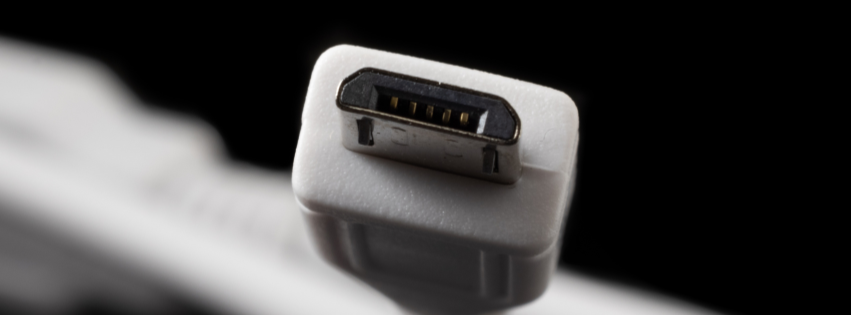
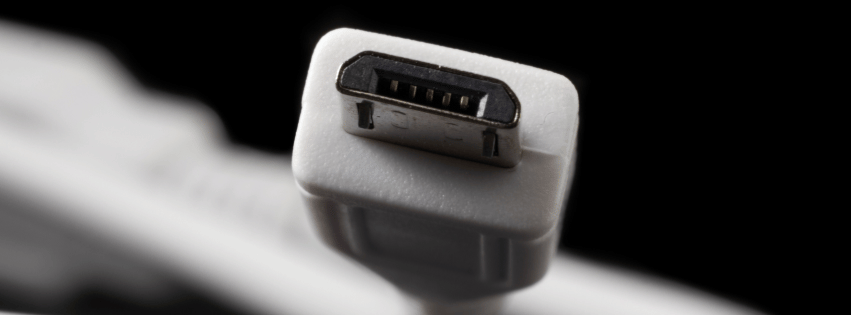
micro-b connector

Common Signs That USB Cable Can Transfer Data

  • Micro USB Connector
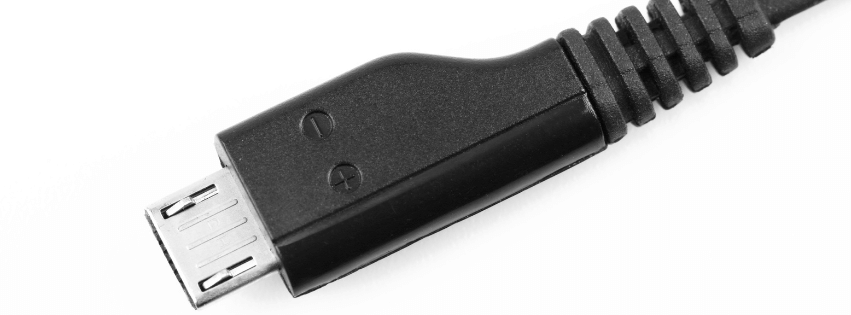
    – Micro USB connectors typically have up to 5 internal pins, but some only use 4. USB power only variations will often omit any wiring for the 2nd and 3rd pins (D- and D+) since they are only necessary for data transfer.
    – The standard USB trident logo printed on the cable or its connector shell is an indicator that the cable should be able to transfer data.
    – You can test the cable’s functionality by plugging it into a computer, and test its speed using the Command Prompt tool “winsat” on Windows PCs. Some cables have limited data transfer and will be insufficient for moving large files quickly.
  • USB-A Connector
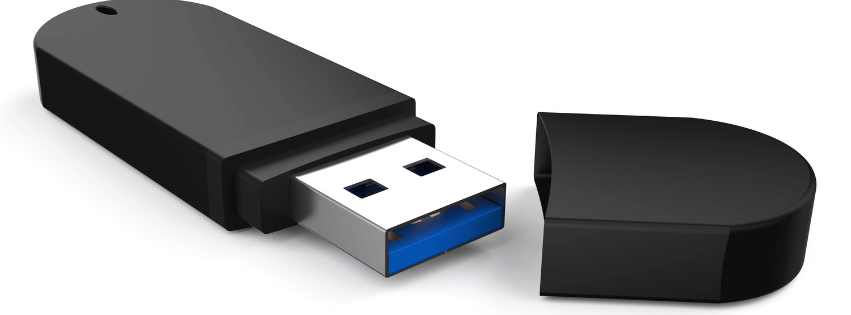
    – The most common USB type often has an easy indicator of whether the cable is capable of transferring data, which is a colored insert inside the connector. Modern 3.0 types usually have a blue or teal colored insert, while older 2.0 types would sometimes have black and white. You can test a USB cable’s actual transfer speed by plugging it in to a computer running Windows, and using the Command Prompt tool “winsat”.
    – USB 3.0 connectors have 9 pins in a staggered position, while 2.0 only have 4 pins so a visual inspection of the connector may be enough to tell what you need to know.
    – Some USB-A connectors will also have an SS symbol or trident icon printed on the connector shell, indicating “SuperSpeed” which means it should be a 3.0 connector and therefore capable of data transfer.
  • USB-C Connector
    – USB-C connectors may have an SS or Thunderbolt logo on them, which indicates SuperSpeed or Thunderbolt tech that provides fast data transfer.
    – USB-C cables may also have their transfer speed printed on them, i.e. 10 Gbps (you can always test this manually using a Windows PC as noted before.)
    – There is no immediately obvious indicator for whether a USB-C cable provides data transfer capabilities from the connector itself, so other methods are often needed to identify whether they can transfer data, and at what speed.
    – Data cable builds are typically thicker due to requiring additional internal wiring for data and power transfer, whereas charge-only cable configurations can be thinner and sleeker with potentially only one internal wire required.

Types of Micro USB Connectors

  • Micro-A: Rectangular plug style that is mostly out of circulation nowadays. It was previously used for host device applications, like connecting a flash drive to a mobile phone.
  • Micro-B: The most widely used variant of Micro USB cables, with a trapezoidal shape. Most commonly built as charge-only cable for small devices like smartphones, controllers, digital cameras, and USB power banks but has become less used after the advent of USB-C. 
  • Micro-AB: An unusual dual-purpose port, rather than being its own connector type: a Micro-AB port is simply designed to connect to both Micro-A and Micro-B connectors. However since the Micro-A was mostly overtaken by the Micro-B, these ports are unnecessary in most applications.
  • Micro-B 3:0: A wider variant of the original Micro USB, capable of USB 3.0 data transfer speeds for applications like connecting to external hard drives. If your Micro USB cable is able to transfer data, it’s very likely the Micro-B 3.0 variation. However even this more modern variation is being used much less in new products, typically in favor of USB-C.

In need of custom USB cable manufacturing for your factory, product or facility? Contact us at [email protected] and send us your cable drawing, or any required NDAs. 

What is a Crimping Tool

What is a Crimping Tool?

We use all kinds of tools and equipment every day when we create custom cables here at our facility in Washington state. However, one of the most fundamental tasks that any aspiring cable technician must learn to do is wire crimping, which can be done by hand with an applicable crimping tool for the specific task.

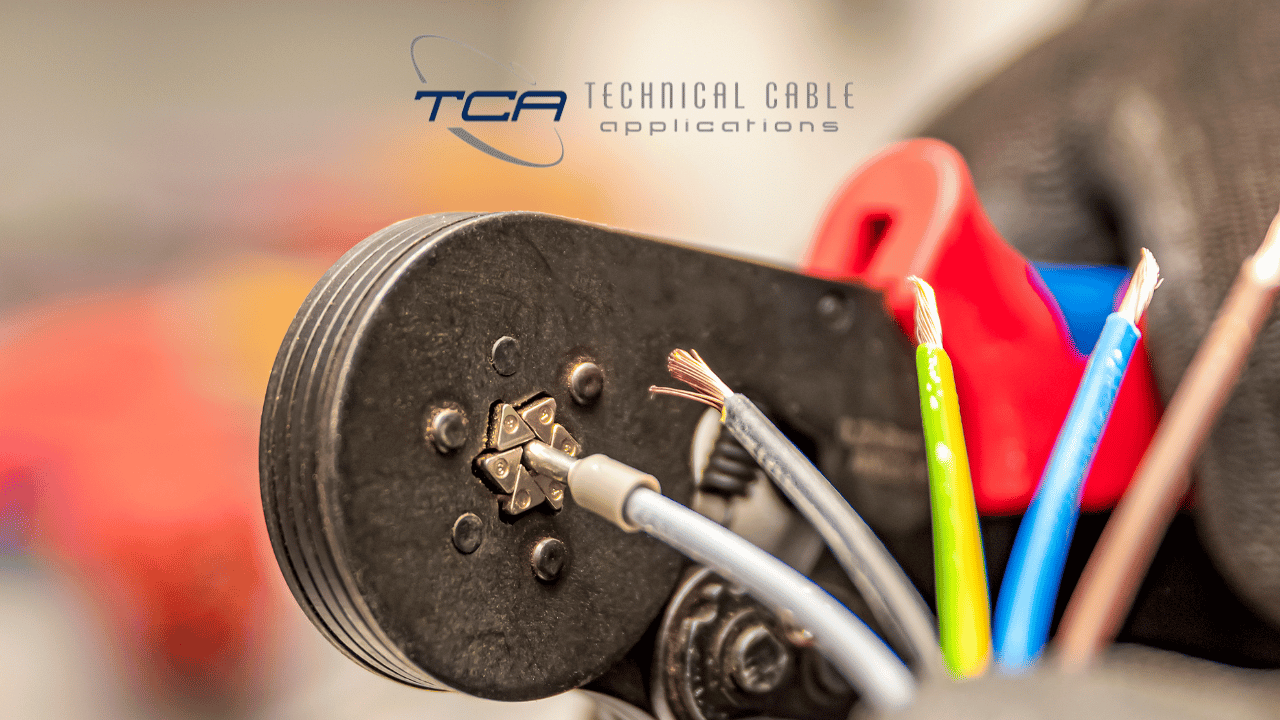
What is crimping, and what is a crimping tool used for? To start, crimping is a general term for any kind of manual adjustment to a wire, typically to deform it to create secure connections and/or ensure it fits within the space designated for it. 

What is a Crimping Tool Used For?

There are many types of crimping tools and equipment, ranging from small handheld crimper tools for fine adjustments, to gigantic automatic crimping machines intended for large production scale work. What they all have in common is that to properly use them, wire connectors will be inserted into the appropriate die for the desired deformation style, and then the handles or automated machine of the crimping tools will clamp down on the wire and connector, deforming it to the desired shape and sealing the connection. You may also need to use butt connectors to join or extend wires or cables, or shrink connectors to add insulation and waterproofing. These both may require additional crimping tools to get everything secured and deformed just right.

How To Create a Proper Crimp

The most important part of using crimping tools is using the correct wire tools for the job. For instance, if you are crimping a coaxial cable by hand, you want to make sure your crimp tool has the appropriate die in it to accommodate the round coaxial connectors’ shape. This applies for crimping network wires, modular wires, or even larger scale items like locomotive battery wire crimping. Without the right die and crimping tools, you run the risk of overforming or underforming the wire, leaving an unstable connection or potentially damaging the connectors and internal components. 

What Kinds of Crimping Tools Are There?

  • Handheld tools
    – As previously mentioned, handheld tools let a technician manually crimp individual wires, cables, and connectors to the desired deformation. They come in a variety of sizes and strengths based on how much force is needed to crimp a given wire and connectors combo. 
  • Automated tools
    – We use automated crimping machines like our Schleuniger 36SP Crimp Center for very large crimping applications, like for locomotive battery cables where a tremendous amount of force is required due to the size of the cable and connectors. Most handheld crimping tools are insufficient for these larger applications, and many cable manufacturers do not have the capability for them. 
  • Wire cutters and cutting pliers
    – While not strictly a crimping tool, cutting wires is often needed to complete the crimp or join two cables together using a butt connector. These can also range from handheld to automated cutters, depending on the size of the wire or cable being cut. 

What Types of Wire Can be Crimped?

Essentially all cables and connectors can be crimped in some way, but how much a given combo of the two can deform without causing damage or making the connection less secure rather than more secure can vary wildly. Some cable types like ribbon cables are designed to be extremely flexible, and can be bent or deformed into all kinds of shapes without losing connection quality. In contrast, highly shielded or armored cables are more resistant to crimping due to the protective layers put around them, so crimping may need to be done prior to the application of shielding the cable, and the shield applied to the deformed cable rather than trying to crimp it afterwards with crimping tools that can’t accommodate the extra size. 

How to Avoid Damaging Connectors While Using Crimping Tool – Avoid Pliers

The most crucial thing to avoid when working with connectors is ill fitting or sub-optimal tools for the specific connector type. You should have a die in your crimping tool that will provide the desired deformation for the specific connector and wire styles in use, and will fit the sizing. It may be tempting to use basic pliers to manually bend the wire and connector to the desired shape or twist, but this is very likely to damage the internal components, or cause the wire and connector to be out of spec. It’s generally best to only use plier tools for minor adjustments. 

How to Choose a Cable Assembly Manufacturer

How to Choose a Cable Assembly Manufacturer

If you’re in the procurement department for your corporation or business, you may be in search of a new cable assembly manufacturer or supplier. This can be due to all kinds of factors, but a few of the top ones we hear from new clients are:

  • New governmental requirements that affect federal manufacturing contracts
    – As new laws are passed and old ones are updated, your company may need to change where components are sourced from, or what materials they are made from to stay compliant. We offer nearshore manufacturing which can often solve the former problem, but each situation is unique.

  • Previous cable manufacturer is no longer able to meet their needs
    – Whether your business is expanding and you need to find the right partner to keep up, or your previous manufacturer can no longer manufacture your cables the same way, you may be forced to find a new supplier. We provide OEM orders along with custom prototyping, but some manufacturers only manufacture larger orders of OEM cables, or only provide custom cables without manufacturing at scale.

  • Existing cable manufacturing partner is not able to manufacture a specific product
    – Every cable assembly manufacturer has their specialties, but due to the massive variety of cable and harness types, there will always be some cable types that they cannot manufacture, or can’t offer competitive pricing for. For instance, other companies may refer customers who need M12 cables to us, while we may refer customers back to them for specific needs that aren’t a great fit for us. 

Choosing the Right Cable Assembly Manufacturing Partner

This post will go over the top things to consider when searching for a cable manufacturer who can meet your current needs, and what to provide them with so you can get proposals back quickly.

Material Selection

Where are materials sourced from by the manufacturer?

This may already be top of mind if you are needing to find a new partner due to industry or government restrictions, but it’s important to know where the manufacturer will obtain the materials and parts to manufacture your cable with. Even if you are not required to only use components and materials procured within North America, or don’t need to have a highly detailed record of where every component was produced, you still need to know that your cable manufacturer of choice will have trustworthy sources for components and materials.

Industry Standards

What certifications does the cable manufacturer have?

You may need to only work with manufacturers that have a highly specific certification or qualification, such as ITAR for defense contracting in the United States. However, even if your cable needs don’t have a prerequisite like that, it’s best to choose a company that is provably qualified for the cable assembly work you need. For instance, we are internationally IOS 9001:2015 certified, and UL certified for the United States and Canada for cable assembly.

Cost Savings

Will this manufacturer help keep my costs down?

This may require speaking with the manufacturer’s sales team on the phone or in a video call, as this is a bit more nuanced to answer. The short version is that the right manufacturer will meet your needs for cable assembly manufacturing, while identifying opportunities to keep your costs down wherever possible. We do this by offering nearshore manufacturing options that can often help save on both assembly and shipping costs. Our engineers also have decades of expertise and experience in identifying materials and connectors that will do what is needed, but for a lower cost and/or quicker turnaround time.

Custom Cable 

Do I need a manufacturer that can manufacture custom cables or prototype new ones?

This depends on how far along you are in the cable assembly process, and what you need additional assistance with. For example, we do not provide design of entirely new cable drawings, so we wouldn’t be a good fit for that step of the process. Meanwhile, some manufacturers do not provide prototyping services, or may have high MOQs (Minimum Order Quantity) that don’t work for your prototyping budget. We offer low MOQs thanks to our nearshore manufacturing partnerships, so if you need custom or prototype cables we’d love to hear from you!

OEM Bulk Cable

Do I need a manufacturer that can manufacture large orders of existing cables at scale?

If you have an existing cable assembly that’s ready to go, the most pertinent question is whether the manufacturer you choose has the capacity to turn around the quantity of cables needed, in a timely fashion. Smaller, custom manufacturers may take longer to complete a bulk OEM cable assembly order, compared to a larger company with more equipment and staff tailored for that kind of production speed. We have expanded our manufacturing capacity significantly over the past decades, and can provide large bulk orders that we wouldn’t have been able to initially.

Quality Assurance

Can I trust this manufacturer’s quality control procedures?

It’s important to choose a manufacturer with proven and industry standard quality control systems. We hold to IPC/WHMA-A-620 Standard Revision E for our quality control and inspection regulations, and utilize automated work instruction tools developed in partnership with our friends at Scout Systems to standardize every process down to minute details. This also helps us track exactly where each part and component we use comes from, in order to isolate problems if they are found in the quality inspection process.

How to Cost Down a Medical Cable Assembly

How to Cost Down a Medical Cable Assembly

Medical assemblies can be expensive to develop, due to many factors. These include the potential for unexpected revisions after FDA rule changes or prototype disapproval, strong durability needs for cables used in proximity to radioactive or electromagnetic currents, and low voltage limits that require careful development.

This means that keeping costs down and striving for FDA compliance is paramount, since the final version of any new cable assembly or build of an OEM by a different manufacturer will always be under tight scrutiny. This post will highlight some of the best ways we’ve found to keep costs on cables for the healthcare industry down.

What This Will Not Cover

Before we get into the specifics, here are a couple of caveats on the scope of this educational post:

  • Healthcare related cable assemblies and wire harnesses cover a wide gamut of needs and applications, and therefore the methods of keeping production costs down vary a lot depending on the assembly type. These are general principles that apply to most cable assemblies, but may not to all. 
  • We also do not provide cables that touch patients’ skin such as ECG cables, so we will not be going over anything related to that technology. You can refer to the Cardinal Health study on single-patient use ECG cable to get more insight on that topic.

1. Use Readily Available Wires, Materials and Components for Lean Manufacturing

Specialty items can offer incredible performance benefits or make installation easier: for example, a new type of specialized cable jacket may be extremely durable compared to more readily available options, and therefore make the finished cable assembly have a much longer usage life. However, we always have to determine if the benefit of the specialized component is worth the additional cost, or if it will increase lead times due to difficulty obtaining the needed materials. 

Lean manufacturing is all about finding opportunities for cost savings that will not adversely affect the final product. In many cases, a specialized component will offer a benefit that is not absolutely necessary, making the potential upside less worthwhile while still increasing costs and turnaround times. We recommend only choosing unusual or completely new components when it has been deemed as a requirement, for accomplishing what the cable assembly will be built to do.

2. Utilize Nearshore Manufacturing or Part Sourcing Where Possible

It is not always possible to get parts made in the United States and it can be expensive as well, but an alternative exists that does not require overseas shipping or logistics: nearshore manufacturing. Technical Cable Applications partners with two excellent facilities in Guadalajara that help us reduce lead times, offer lower MOQs for custom requests, and save on costs overall thanks to avoiding overseas shipments and delays. 

We recommend working with cable manufacturers who provide nearshore manufacturing options, or are partnered with reputable nearshore manufacturing companies, as the cost benefits of these partnerships should be carried on to you and keep you from nightmare scenarios where overseas parts are delayed well past the deadline, or put on hold entirely due to global events. You may also find a quality boost over using overseas components, in some cases!

3. Choose House Tooled Connectors from Major Medical Cable Assembly Manufacturers over Building Custom Tools

While we and other custom cable manufacturers can provide custom tooling and dies when absolutely necessary, these processes add a significant amount of time to pre-production and prototyping processes, and therefore must be chosen only when it is necessary to do so. A cheaper method is to choose to source connectors from one major cable manufacturer in the healthcare space like TE, GE or Phillips that will all work together and not need customization, since those companies have in house tooling that is ready to go. 

This will avoid needing to pay extra for custom tooling, and make the assembly easy to manufacture at scale. The downside is having to work with the limitations of existing connectors to accomplish the assembly’s needs, but with creative engineering and cable drawing it may help with cost reduction. 

4. Use the Fewest Number of Connectors for Additional Cost Savings

Finally, it’s best to simplify the cable assembly’s drawing as much as possible with the fewest connector points and components possible. Unless a connector or PCB (printed circuit board) is absolutely necessary for the necessary functions of the assembly in all instances, it may be better to remove it and find a way to accomplish the same need via other components retained in the drawing.

This is a difficult process and may not be possible if the assembly is already using the minimum number of components, but can result in significant cost savings for the final production order of thousands of assemblies.

Battery Cable Assemblies

Battery Cable Assemblies

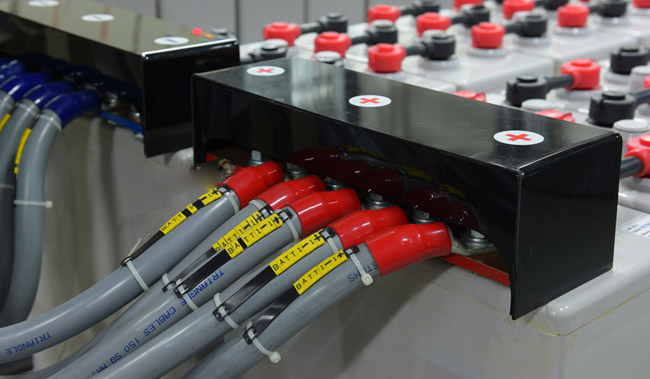
The battery is a key component in powering our new generation of automobiles. It is essential to start fuel powered vehicles, heavy equipment, fleet trucks, boats, and generators. Batteries are used as a power source in RVs, campers, motor homes, golf carts and other off grid applications and used to store energy from solar and wind turbines. One thing common to all this equipment is the need for reliable battery cable. It makes the connection from the battery to other components, and it must be reliable. Technical Cable Applications manufactures high quality battery cable assemblies for all these applications. There are some key characteristics that need to be considered when producing battery cable assemblies.

Wire Gauge

Battery cable is available in a wide choice of wire gauges to satisfy power requirements. The amount of allowable power or amperage that can be put through a cable is dependent on the application, location, and ambient temperature the cable will be exposed to. For automotive applications the SAE standard applies, and usage in homes and businesses refers to the NEC standard and local codes.

Sizing battery cable comes down to three numbers: peak amperage, total run length, and the voltage drop the circuit can tolerate. A short jumper between a battery and a nearby solenoid may carry the same current as a twenty-foot run out to a winch, but the longer run needs far more copper to keep the drop inside spec. Most starting and charging circuits land between 6 AWG and 2/0 AWG, while inverter, winch, and traction circuits usually sit at the heavy end of that range. Send us the amperage, the run length, and the ambient conditions, and we’ll get back to you with a quote.

It is also worth remembering that a conductor sized only for steady-state current can still fail a cold-crank test. Starting current is a brief, violent spike, and a run that is one gauge light can sag enough to make a healthy starter behave like a dying one. When the equipment is expensive to diagnose in the field — a fleet truck, a generator set, a rental machine — we generally recommend rounding up rather than trimming to the minimum the chart allows.

Stranding

The stranding of the wire has a huge impact on the flexibility of battery cable assemblies. For most automotive applications the flexibility of the cable is not as important because the cable will usually be in a fixed position connecting the battery to the starter or alternator, so a lower strand count is often acceptable.

There are applications where the cables need to be flexible because the connected devices need to be moved frequently or when the cable is exposed to constant bending. Then a higher strand count is needed for increased flexibility.

Strand count also changes how the wire behaves during termination. Fine-strand wire requires lugs rated specifically for fine-strand and custom dies, and fills the barrel of a lug completely, while coarse wire is stiffer to route but easier to push through conduit. Flexible welding-grade wire is the usual choice for inverter leads, marine main runs, and any route with more than a couple of tight corners in it. Tell us how the finished build has to bend and we will match the wire construction to it.

Insulation

Battery cable assemblies in automotive applications often need to withstand higher temperatures and resist exposure to the oil and chemicals found under the hood. SAE type SGT and SGX battery cable is meant for use in automotive and vehicular applications. SGT cable, insulated with PVC, is rated for use up to 105°C. SGX cable, insulated with cross-linked insulation, is much more abrasion resistant and withstands higher temperatures up to 125°C. For some applications, including solar, NEC and UL rated wire is often required and the type needed depends on whether the cable will be used in an indoor environment or in conditions where the cable will be exposed to moisture, heat, or sunlight.

Insulation color is part of how a finished build gets read on the shop floor and in the field. Red for positive and black for negative is the convention nearly everyone recognizes, but color options do not stop there. Battery cable is stocked in the required NEC color configurations and used as legally required, which makes it possible to code a multi-run system so no one has to trace a lead by hand. Printed legend, colored identification bands, and permanent labels are further options when a build will be serviced years later by someone who was not there when it was made.

Connectors, Terminals, and Lug Options

There are numerous connector types used for battery connections with the most common being the standard battery terminal that goes over a lead post and the ring lug terminal. They come in straight and right-angle configurations to fit various wire gauges. Post clamps are typically made of cast lead or lead alloys, while attached ring lugs are often made using tin-plated copper.

Beyond the post clamp, the battery ring terminal is the workhorse of the industry, and lug options run from thin stamped copper for light circuits to heavy forged and tin-plated barrels rated for high-compression hydraulic crimping. Stud sizes, barrel lengths, angles, and plating are all options that get specified on a print rather than assumed. We can supply a finished build with both ends terminated in ring lugs, one end terminated in a post clamp, or a mix of quick-disconnect, stud, and bolt-through options at either end.

Battery Cable Accessories

A finished battery cable run is rarely just copper and a lug. Accessories are what turn a bare conductor into something that survives a decade under a hood or in a bilge, and they are worth specifying up front rather than sourcing in a hurry later. The accessories we install most often include molded terminal boots, insulating covers for exposed studs, anti-corrosion washers, adhesive-lined tubing, braided sleeving, split loom, grommets, strain reliefs, and stainless hardware for marine service.

Overcurrent protection belongs on that list too. A fused battery cable protects the run itself, not only the device at the far end, and ANL, MEGA, and Class T holders each suit a different circuit. Bus bars, distribution blocks, terminal covers, and cable ties round out the accessories most builds need, and grouping those accessories with the assemblies keeps one job from arriving ninety percent complete.

Tools and Termination

The right tools matter as much as the right copper. Heavy gauge does not crimp reliably with hand tools built for signal wire; at 4 AWG and larger (2, 1, 1/0 and up) the work belongs to a hydraulic or pneumatic crimper with dies matched to both the conductor and the lug barrel. Our production floor runs calibrated tools for every size we build, and dies are checked against pull-test data rather than by eye.

Cutting tools matter as well. A clean, square cut keeps strands from splaying and keeps the barrel filled, which is what a pull test is actually measuring. Finished cable assemblies then go to electrical test, where continuity and resistance checks catch the faults no visual inspection will find.

Applications and Custom Options

Different industries push battery cable in different directions. Marine builds need tinned copper, sealed lugs, and hardware that will not weep green after a season. Solar and off-grid systems send large amounts of electrical power from the battery to the inverter at low voltage, so utilizing properly made battery cable assemblies is important to minimize power loss. Fleet and heavy equipment work is about vibration, chafe, and service access. Golf carts, floor scrubbers, and lift equipment need short, repeatable jumpers in volume, where consistency between units matters more than any single build.

Custom battery cable is where most of our work sits. Send a drawing, a sample, or a photograph of what failed, and we will quote against it. Cut length, terminal type, orientation, color, marking, protective covering, and packaging are all options you choose rather than accept. We build prototypes first, then hold the same process for production, so the assemblies in unit five hundred match the ones you approved. The same is true of a wire harness that has to merge with the run — one supplier, one print, one revision level.

Reliability – Quality Battery Cable Assemblies

Technical Cable Applications is an ISO 9001:2015 and IPC/WHMA-A-620 Rev E registered manufacturer of cable assemblies. The company is a UL certified cable assembler for wiring harnesses, US and Canada, categories ZPFW2 / ZPFW8, file E363245, with quarterly random UL audits. Highly skilled employees assure that the components are assembled correctly. Contact our Technical Cable Applications sales team for application assistance for all your cable assembly needs.

Every build ships with the documentation the job requires, and our sales group will help you compare options before anything is cut. Whether the need is a handful of cable assemblies for a prototype chassis or a standing release of cable assemblies for a production line, the process is the same: agree on the print, prove it on a sample, then repeat it. Send us your gauge, length, terminal, and accessories requirements and we will turn a quote around quickly.

Who Builds Assemblies in USA

Who Builds Cable Assemblies In the USA? TCA Does!

It’s no secret that the international economy is particularly volatile in 2025, and tense relations between the United States and some of the main overseas manufacturing nations are causing uncertainty for many corporations and companies that rely heavily on trade with those locations.

These issues and the difficulty in projecting what will be available for overseas manufacturing in the future may be causing you to consider alternative manufacturing options. In that case, choosing Technical Cable Applications for your cable assemblies is a great way to get a head start!

Decrease Your Reliance on Overseas Cable Assembly Manufacturing with Technical Cable Applications

Founded in 2002, Technical Cable Applications has been manufacturing cable assemblies at our facility in the Pacific Northwest for over two decades. We have grown exponentially since our founding, going from a small company that built boutique cable assemblies to one of the largest custom cable manufacturers on the continent.

We have continued to offer custom, highly specialized cable assemblies for unusual applications with the same flexibility and eye for innovation for the past two decades.

However, we have also grown to the point of building harness assemblies for massive OEM orders on behalf of some of the largest companies in the USA, across dozens of industries and thousands of highly varied applications.

Here are some of the top industries we have served as a cable manufacturer since our inception:

  • Telecommunications
  • Marine
  • Automotive
  • Energy
  • Agriculture
  • Medical
  • Construction

Nearshore Wire Harness and Cable Assemblies Opportunities: Manufacture with TCA to Take Advantage

Not only is our facility located here in the United States, but we are partnered with two excellent facilities in Guadalajara that have allowed us to do the majority of our manufacturing and part sourcing in North America.

While some third-party parts or connectors may only be made overseas and still require shipping by cargo boat, we do as much as we can in the US and North America to improve lead times, lower MOQs, and maintain higher quality for all our assemblies custom built for your needs.

We manufacture almost any cable type, and can utilize most commonly used connectors and materials, including but not limited to the following:

  • M12 – M8, M5 and all pin types and variants within the M12 family of connectors
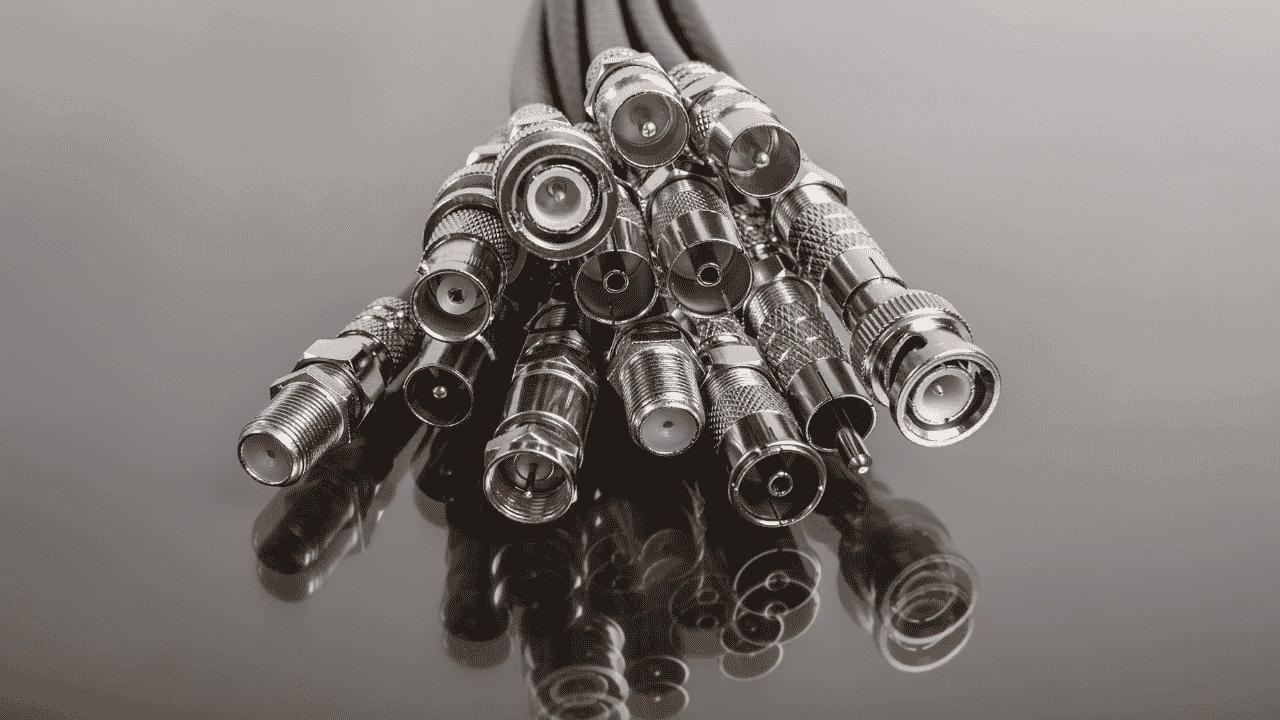
  • Coaxial – micro coaxial, triaxial, RF, and most/all variants of coaxial cables
  • USB – USB-A, USB-C, USB-B, Micro USB, and most variants of USB connector types
  • Ethernet – Cat5, Cat6, twisted pair, and most modern or classic Ethernet cables and connector styles
  • Media cables and assemblies – DisplayPort, HDMI, SATA, XLR, and most audio/visual specialized cable types
  • Overmolded cables – Highly durable shielding for cables to resist extreme temperatures, interference, high pressure, foot traffic, etc.
  • Battery cables – Most electric battery cable charging types

Highly Reputable Cable Manufacturer Founded and Operated in the USA

Our close working relationship with our partner facilities allows us to directly ensure that rigorous quality control is maintained at every stage, and our UL and ISO 9001:2015 certified processes there and in our Washington state facility allow us to track every single part, material and cable back to its original source in the event of a problem. We’re also ITAR certified.

Send Specifications and Drawings for Your Cable Assemblies or Harness Assemblies to Get Started

Please send your cable drawing and any necessary NDAs to us at [email protected], or fill out our online form and attach your drawing and documentation to get a quote*!

*Please provide cable drawings and all documentation available when contacting us so we can quickly give you an accurate quote. We will do our best to research specifications and materials if a drawing is not available, but if no documentation exists that may need to be created first before we can proceed.

usb cable types

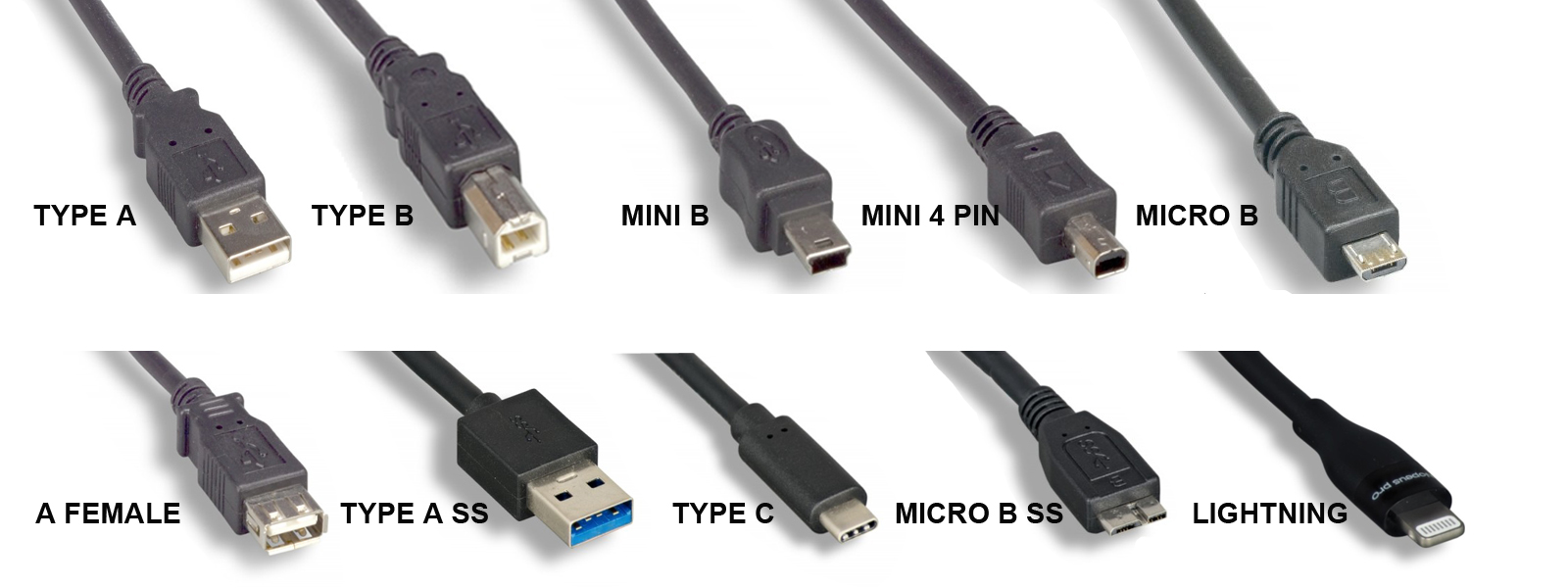
How to Identify USB Cable Types

In today’s gadget-driven world, USB cables have become an indispensable part of our daily lives. From charging smartphones to connecting devices, these cables vary widely in shape, size, and function. This guide will illuminate the visual differences and uses of the most common USB cable types, ensuring you select the right cable with ease whether you’re just trying to purchase the right one for your personal needs, or if you’re in need of bulk USB cable assembly manufacturing for industrial or business applications. If the latter applies to you and you need a reliable cable manufacturing partner, please contact us at [email protected] with your cable drawing and required specifications!

Most Common USB Cable Types Explained

1. USB-A

Visual Identification: The quintessential USB connector, USB-A is a flat and rectangular plug that’s often found at one end of most USB cables. It usually connects to host devices such as computers or power outlets.

Introduction and Use: Introduced in the mid-1990s, USB-A remains the standard for connecting peripherals like keyboards, mice, and external storage devices. Commonly used for data transfer as well as charging, it supports data transfer rates of up to 480 Mbps for USB 2.0 versions and up to 5 Gbps for USB 3.0.

usb-a

2. USB-B

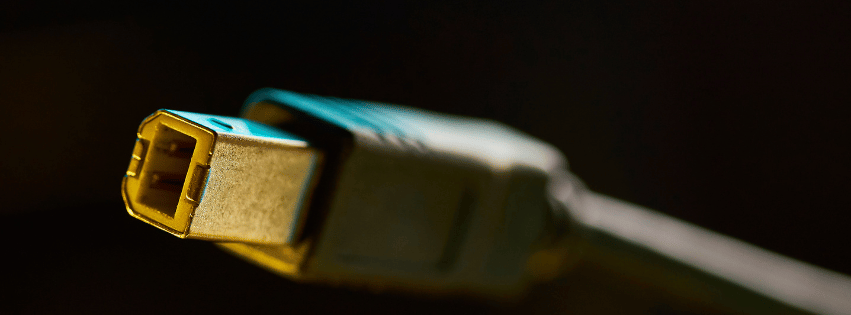
Visual Identification: USB-B connectors are noticeably square with beveled corners on the top. They are less common in consumer electronics and are often seen connecting to larger devices like printers and scanners.

Introduction and Use: Around since the original USB standard, USB-B is primarily used for data transfer and charging larger devices. With USB 3.0 variations, identifiable by additional pins and often a blue internal color, data transfer speeds can reach up to 5 Gbps.

usb-b

3. USB-C

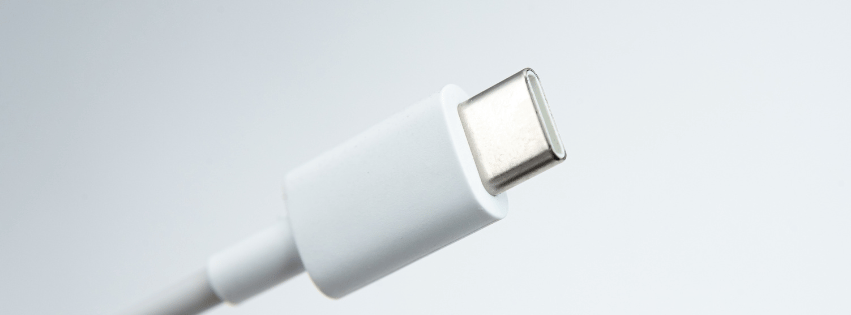
Visual Identification: Featuring a small, sleek, and oval design, USB-C is reversible, meaning it can be plugged in either way without issue—an ergonomic advantage.

Introduction and Use: Introduced in 2014, USB-C has quickly become the universal standard in modern devices, prevalent in smartphones, laptops, and tablets for both data transfer and charging. It supports up to 10 Gbps for USB 3.1, speeds of 20 Gbps for USB 3.2, and is capable of 40 Gbps with Thunderbolt 3 and 4 technology.

usb-c

4. Mini-USB

Visual Identification: Mini-USB comes in a smaller size than USB-A or USB-B, with a trapezoidal shape. It’s typically found in old models of MP3 players and cameras.

Introduction and Use: Common in the early-to-mid 2000s, mini-USB served for connecting smaller personal electronics and offered 480 Mbps data transfer rates like USB 2.0.

mini-usb

5. Micro-USB

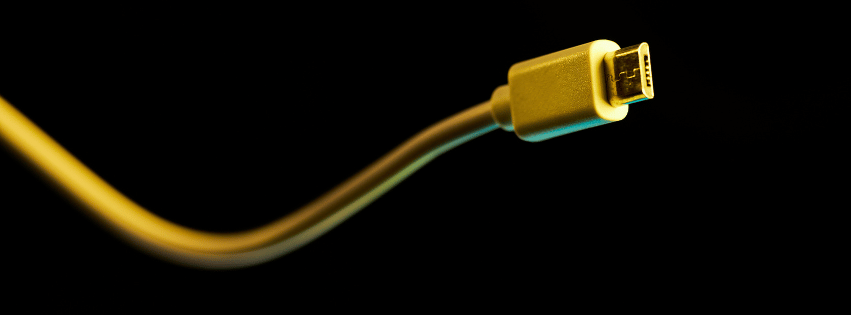
Visual Identification: A more compact connector than mini-USB, micro-USB has a flatter and narrower form, and is somewhat trapezoidal with a wider top.

Introduction and Use: Released in the late 2000s, micro-USB became the standard for older Android phones and various portable devices, offering data speeds up to 480 Mbps (USB 2.0) and charging capacities.

micro-usb

Exploring Lesser-Known USB Variations

While the more common USB types tend to dominate the scene, it’s important to also recognize some of the less common variants. These connectors cater to specific devices and uses, and understanding them can offer a complete picture of the USB landscape.

1. USB-A SS (SuperSpeed USB-A)

Visual Identification: A step up from the traditional USB-A, the USB-A SS connector can often be identified by a blue color inside the port (though this isn’t always the case). The external shape remains the same as the standard USB-A.

Introduction and Use: As part of the USB 3.0 standard introduced in 2008, USB-A SS supports faster data transfer speeds of up to 5 Gbps. This variant is used extensively in devices that require rapid data transmission, such as external hard drives and Solid-State Drives (SSDs), allowing for efficient data backups and file transfers.

usb-a ss

2. USB Mini-B

Visual Identification: The USB Mini-B connector resembles the mini-USB type with its slightly trapezoidal shape, yet it contains an additional pin compared to the standard mini-USB.

Introduction and Use: Often found in older camera models and some legacy mobile devices, this connector type was popular in the early 2000s. While being largely phased out in favor of micro-USB or USB-C, mini-B was pivotal for synchronizing and charging smaller electronics at data rates up to 480 Mbps.

mini b

3. USB 4-Pin

Visual Identification: The USB 4-pin looks like a simplified version of the larger USB connectors, often used in uncommon situations to deliver specific functions. It lacks the notch and traditional USB housing seen in other types.

Introduction and Use: It’s typically seen in proprietary systems or specialized applications, providing both power and data transfer but at limited rates compared to mainstream USB styles. Primarily, its function depends on the device it was designed for, making it less adaptable.

usb 4 pin

4. Micro-B and Micro-B SS (SuperSpeed Micro-B)

Visual Identification: The Micro-B connector is quite similar to micro-USB but has a slightly different pin setup, with additional connections visible. The SuperSpeed Micro-B variant is known for its bifurcated form: one standard micro-USB side and an additional smaller pin section.

Introduction and Use: Micro-B was primarily used in smartphones and tablets before USB-C standardization. With the advent of formats like USB 3.0, the Micro-B SS version found its place in external hard drives, enabling SuperSpeed data transfers up to 5 Gbps, thereby enhancing external storage performance considerably, before being mostly replaced by the more ergonomic and faster USB-C.

usb micro b

Specifications and Usability

Knowing your USB cables doesn’t just help in identifying them visually, but also helps understand their specifications regarding data transfer and usage contexts. USB 2.0, 3.0, and beyond vary in their data transfer capabilities, where higher versions offer backward compatibility but greatly increase transfer rates. Understanding these distinctions can help in choosing the right cable for either transferring files or efficiently charging a device.

Conclusion

Understanding USB cable types can simplify connecting your devices, maximizing performance, and ensuring compatibility. Whether you’re a tech enthusiast or simply dealing with the cords that power your world, knowing which cable goes where is invaluable.

At Technical Cable Applications, we specialize in the bulk manufacturing of a wide range of cable assemblies, from USBs to other essential data and power solutions like Ethernet, M12, and coaxial cables. We hope this guide serves your needs and helps you navigate the vast landscape of USB technology with confidence. If you’re in need of USB cable assembly manufacturing for your business, government or industrial needs, please contact us at [email protected] with your cable drawing and any necessary NDAs!

types of USB cables

Types of USB Cables

USB cable assemblies are a cost-effective way to connect electronic devices. When first introduced, USB connectors and cable assemblies connected peripheral devices such as printers, scanners, cameras, and storage devices to computers. Now USB cable assemblies are everywhere and used for everything from programming systems in automobiles, connecting medical equipment, and charging cell phones for everyday use.

USB Assembly Types Including Mini USB, Micro USB and USB Standard

Technical Cable Applications is your one-stop shop for Off-The-Shelf USB cable assemblies. TCA offers a variety of USB 2.0 through USB 4 2.0 standard cables with various connector types in different lengths. This post is intended to be a comprehensive summary of the types of USB cables that are commercially available, what types we most commonly manufacture, and what the most cutting edge technology in the USB connector world is now.

USB Standards

The Universal Serial Bus standard released in 1996. The first standard, USB 1.0, was much faster than the typical serial or parallel connections available at the time. The USB standard evolved quickly. The following is a summary of major speed increases in the USB Standard, and how commonly these standards are used today.

Standard Speed Current Usage Year Introduced
USB 1.0 12 Mbit/s: Full Speed (FS) Rarely used today 1996
USB 2.0 480 Mbit/s: High Speed (HS) Still used frequently as the minimum speed of cheaper USB-A cables 2000
USB 3.0 5 Gbit/s: SuperSpeed (SS) Most popular USB edition for consumer grade electronics to this day 2008
USB 3.1 10 Gbit/s: SuperSpeed+ (SS+) Mostly surpassed by 3.2 2013
USB 3.2 20 Gbit/s: SuperSpeed+ two-lane Top tier USB cables prior to 2019 and still used far more frequently than 4 or 4 2.0 2017
USB 4 40 Gbit/s: two-lane Becoming more common but still less used than 3.0 to 3.2 2019
USB 4 2.0 120 ⇄ 40 Gbit/s: asymmetric Niche applications for pushing two data streams at once, not commonly used yet 2022

USB-A and USB-C Port Assembly

Connector Types

USB or Universal Serial Bus cables come with a variety of different connector types and the cable varies by the device requirements. The connector types include Type-A, Type-B, USB-C, Mini-A, Mini-B, Mini-AB, Micro-A, and Micro AB. There are also Super Speed versions of these connectors available. Here’s some info about the timeline of introductions, and how commonly these are seen today.

Connector Variations Current Applications Year Introduced
Standard-A 1.0, 1.1, 2.0, SuperSpeed The most common and cheapest USB connector 1996
Standard-B SuperSpeed Niche but used for hardware like printers or musical equipment 1996
Mini-A n/a Previously used for mobile phones but eclipsed by Micro B, then Type-C 2000
Mini-AB n/a Rarely used at any point, briefly used for HTC phones 2000
Mini-B n/a Previously used for digital cameras but eclipsed by Micro 2000
Micro-A SuperSpeed Used for host devices in some cases like desktop computers 2007
Micro-B SuperSpeed Used for Android phones. and mobile devices extensively prior to the introduction of Type-C 2007
Lightning n/a Apple mobile charger, now replaced by Type-C for new devices 2012
Type-C n/a The new standard for premium speed, charging, and both desktop and mobile applications 2014

Countless Configurations

Technical Cable Applications’ offerings include cables configured with all the connectors listed above and far more beyond. The company also has a large inventory of adapters for USB to Ethernet, USB to HDMI, USB to Serial, and more, plus full flexibility with crimping, tinning, and configuration for any complex assemblies.

Custom Requirements

In addition to our OEM offerings, Technical Cable Applications’ skilled specialists are ready to help with any custom cable assembly requirements you might have. TCA stocks cables, connectors, and materials by the thousands and can custom build dies and molds not on hand.

Please contact the TCA Technical Sales Team for assistance with all your cable assembly needs by reaching out to [email protected] or giving us a call!

*Please provide cable drawings and all documentation available when contacting us so we can quickly give you an accurate quote. We will do our best to research specifications and materials if a drawing is not available, but if no documentation exists that may need to be created first before we can proceed.

The Evolution of Cable Assembly Manufacturing

The Evolution of Cable Assembly Manufacturing

Complexity in cable assembly manufacturing grows incessantly, compelling producers to grapple with intricate designs, precise specifications, and relentless pressure to optimize productivity, while maintaining the quality at the highest possible standard.

Innovation is the linchpin.

Adopting advanced manufacturing technologies and methodologies, including work instruction software, streamlines processes and enhances efficiency, meeting the demands of an ever-evolving industry.

From Handcrafting to Automation

Though cable assembly manufacturing can be an extremely labor-intensive process, cable assemblers are integrating sophisticated automation technologies that bolster consistency, minimize human error, and accommodate the complexities of modern cable assembly production. This evolution supports the aspirations of assemblers and fabricators for heightened productivity, paving the way for unprecedented levels of innovation and customer satisfaction.

Early Manual Techniques

In the initial stages of cable assembly manufacturing, each connection was carefully made by hand. This process was not only time-consuming but also required a high degree of skill and precision, restricting production capacity.

Operators used an array of hand tools, like wire strippers and soldering irons, to assemble cables. Each wire had to be cut, stripped, and soldered or crimped individually, leading to lengthy production cycles.

Early cable manufacture was a meticulous artisanal craft that relied on the steady hands and keen eyes of experienced workers.

Despite advances, these manual techniques established foundational skills and standards that persist in the industry. They underscored the necessity for precision and the value of craftsmanship in creating reliable connections. This groundwork shaped the evolution toward mechanization and automation.

Introduction of Semi-Automated Processes

The advent of semi-automated technologies marked a significant milestone in cable assembly manufacturing, fostering efficiency and consistency.

  1. Implementation of Cutting Machines streamlined the wire cutting process, reducing the variability inherent in manual cutting.
  2. Crimping Machines advanced from manual to pneumatic and eventually semi-automatic operation, enhancing connection uniformity.
  3. Pre-Programmed Stripping Machines offered precise insulation removal, mitigating the risk of wire damage.
  4. Automatic Soldering Stations provided consistent solder joints while minimizing the potential for human error.
  5. Work Instruction Software began guiding operators through the production process, ensuring adherence to specifications and minimizing deviations.

With these machines, operators could oversee multiple stages simultaneously, substantially increasing throughput without sacrificing quality.

Investments in semi-automated systems allowed for scalable production capacities, aligning with the burgeoning demand for cable assemblies across various industries.

The Digitalization Impact

The advent of digital technology has marked a significant transformation in cable assembly manufacturing, introducing a new epoch characterized by unparalleled precision and efficiency. Within this digital realm, work instruction software has emerged as a cornerstone, effectively revolutionizing the transmission of intricate assembly knowledge. By digitizing and centralizing instructions, this software mitigates the risk of human error, propelling the industry towards a future where consistency and quality are augmented by an unwavering adherence to detailed digital directives. Consequently, assemblers and fabricators are empowered to exceed customer expectations with every meticulously crafted product.

Future Trends

Advanced materials, including high-performance polymers, will revolutionize the durability and functionality of cable assemblies, shaping customer expectations.

Connected and automated manufacturing processes, leveraging technologies like Artificial Intelligence (AI) and the Internet of Things (IoT), will drive efficiencies and elevate the precision and scalability of cable assembly production, meeting the upsurge in demand for increasingly complex systems.

Digital twin methodologies and predictive maintenance will emerge as standard practices, enhancing product lifecycle management and operational reliability.

How Do We Make Cable Molds?

Cable molding is used for all sorts of power and data transmission cables, and is more prevalent than the average consumer might realize. For instance, many consumer grade HDMI and USB cables have basic molding included to provide protection during connection and disconnection.

If molding is so commonplace nowadays, one might ask, then why are we writing about it? To put it simply, there are a great number of styles of cable molding that differ a lot from each other in terms of usage, and the manufacturing process. The basic molding you’ll find on many consumer grade cables is not sufficient for all applications so overmolded, industrial strength and custom molded cables are needed in many instances. We’ll describe the general molding manufacturing process that we use, and how we customize cable molding for customers based on their requirements and needs here.

Cable Molding Manufacturing
The simplest explanation of how cable molding is made, is that pressure is used to force material into a mold cavity or what we typically call a “die”, with the desired shape the final mold needs to be. Molding machines automate and simplify this process. We use MoldMan thermoplastic machines to overmold cables by the thousands at Technical Cable Applications. We use special thermoplastic material, such as the polyamide Macromelt OM 646, and heat it to up to 475 degrees Fahrenheit depending on what the final molding needs. Our MoldMan machines allow us to time the injection and clamping processes perfectly with up to 2 tons of force!

Custom Cable Molding
If a customer comes to us with a need for their cables to be molded with a custom raceway solution, we’ll identify 3 main things:
What is the application for the cable? Usually we have a cable drawing from the customer but oftentimes additional information is needed to ensure that the molding will be right for the client’s needs and survive the environmental hazards it will be put through.
Do we need to have multiple configurations of molding or just one, and do they have custom dies already or will we need to produce some? Custom molding dies can be created with multiple shapes and configurations, so that we can quickly manufacture multiple different mold shapes. This is helpful when the client needs a few different types of molding, but unnecessary if they just need one type of mold.
What material is best? The most common one we use because of its versatility is the aforementioned Macromelt OM 646. It has a hardness rating of 92A and a very wide range of service temperatures so it is more than sufficient for many applications. However, if a softer or firmer hardness is needed or if the environment where the cables will be utilized is over 257 degrees Fahrenheit, there are many other options for polyamides that will do the job.

Our technicians are extremely knowledgeable about cable molding, and we utilize automated work instruction tools to ensure that every step of the manufacturing process of cables is done properly. You can trust our team with your bulk cable order from prototyping to final production, just send us your cable drawing to get started!